Exercises for the kit you've got
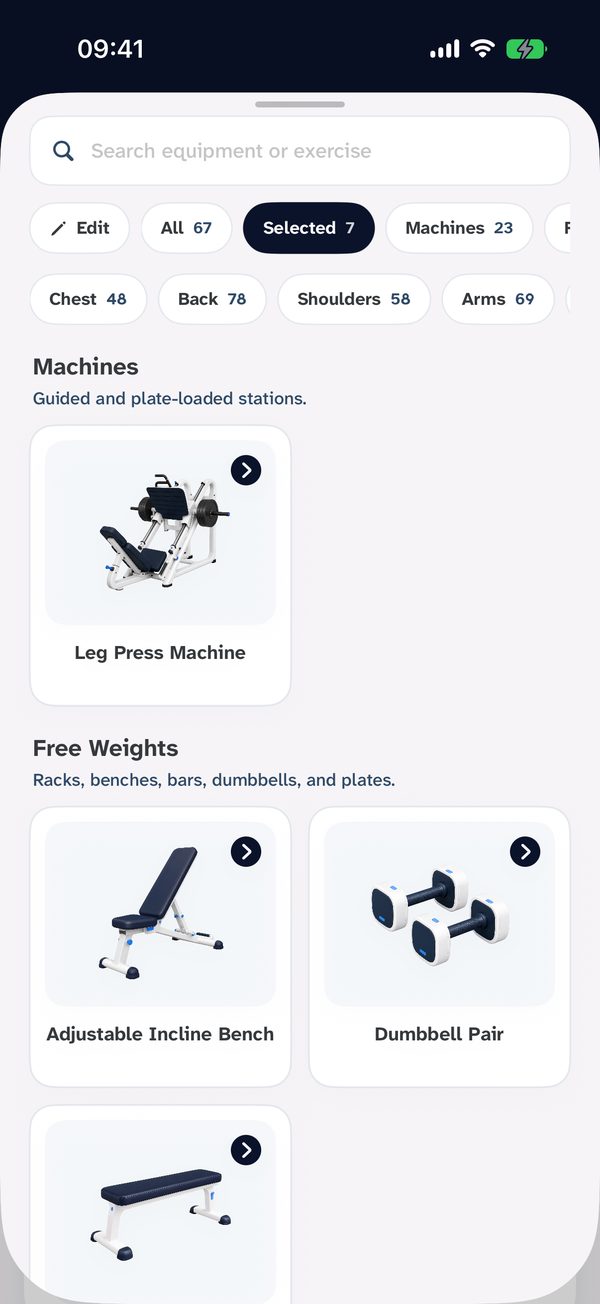
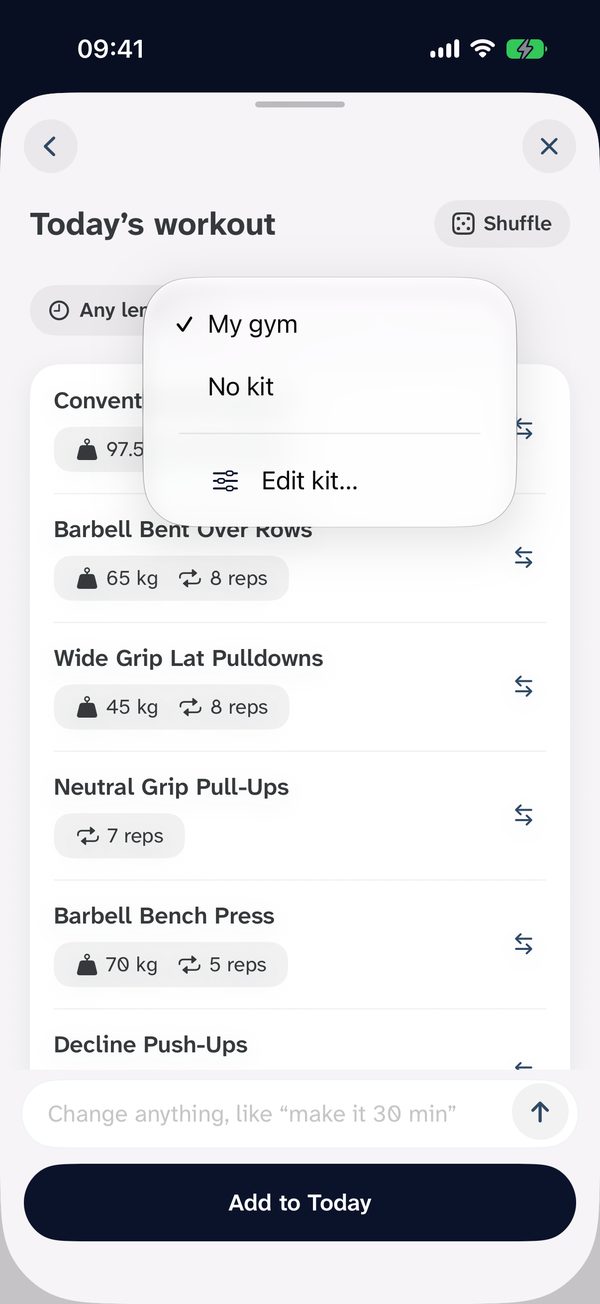
FreePick your equipment and browse the exercises that use it, or add your own in seconds. Stuck for ideas? Tap the muscles you want and Build today's workout puts a session together from your kit.
Workout tracker for iPhone and Apple Watch
No more tapping sets into your notes app. Hold, slide, let go. Logged.
 Free to use. No account needed.
 Pick your equipment and browse the exercises that use it, or add your own in seconds. Stuck for ideas? Tap the muscles you want and Build today's workout puts a session together from your kit.
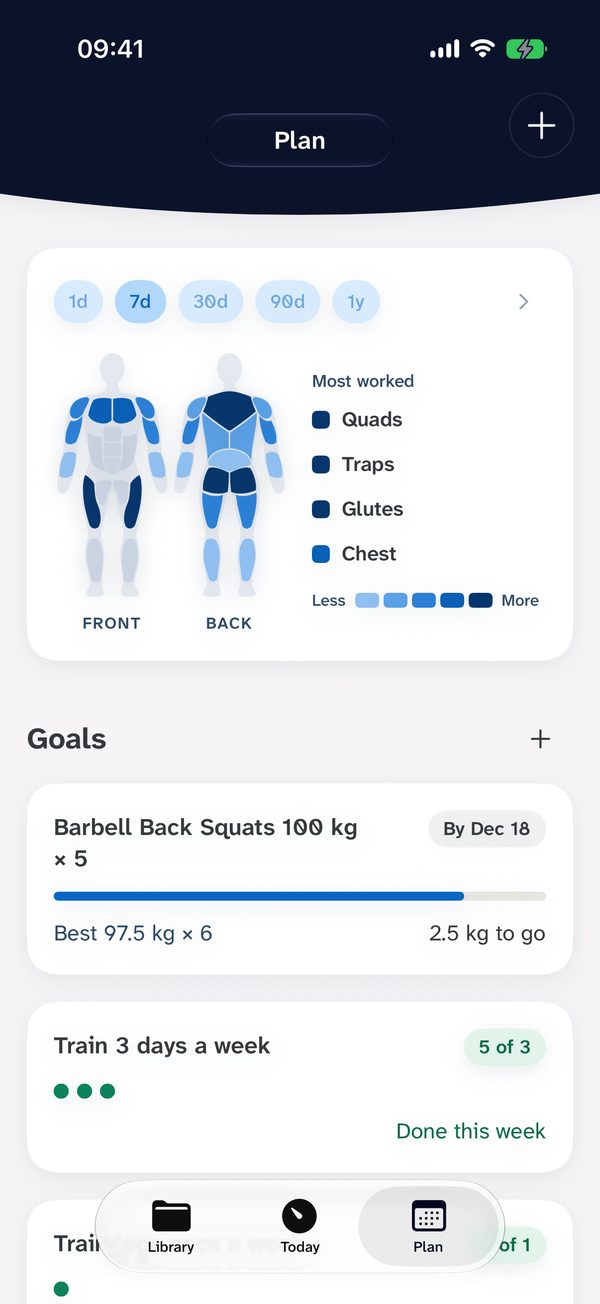
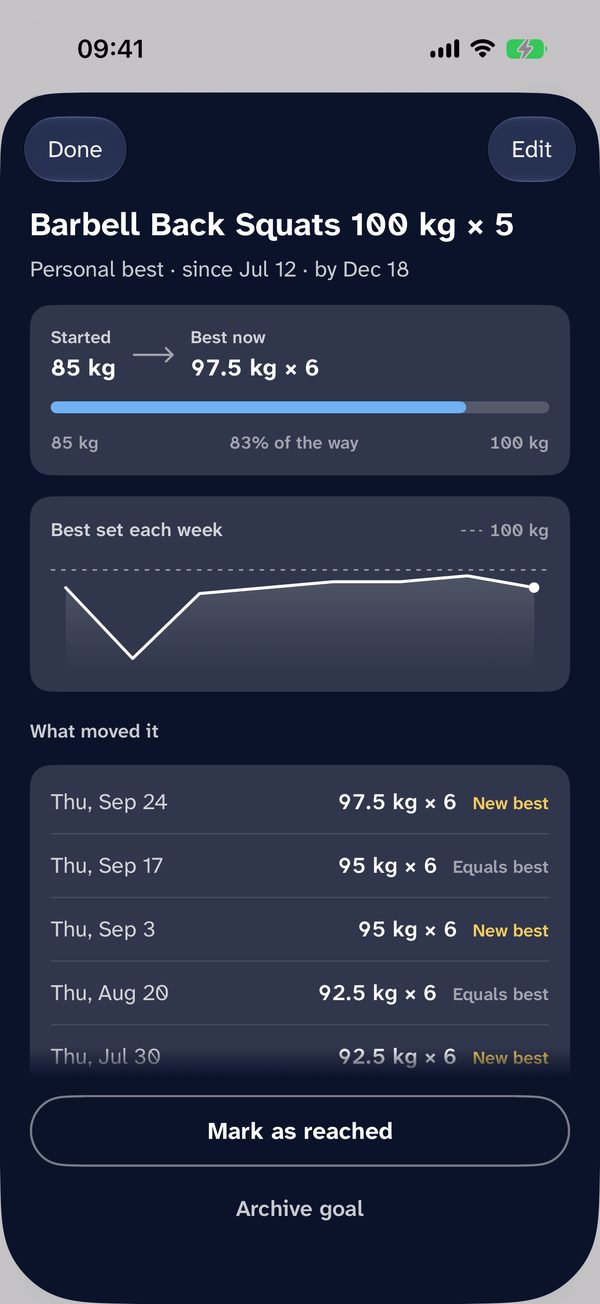
The Body view shows which muscles you've trained, from a day to a year, so the ones you're skipping stand out. Set goals in Plan, like a 100 kg squat or legs once a week. Gym Jotter tracks your progress and can remind you to check in.
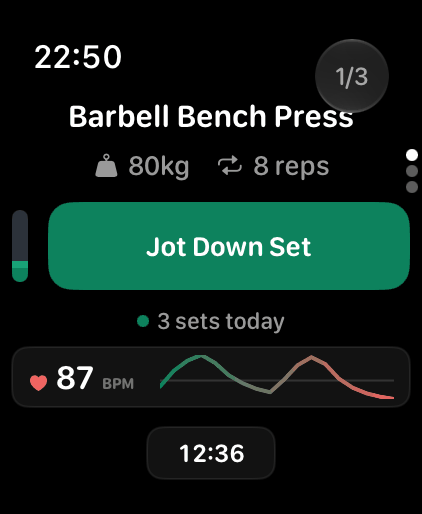
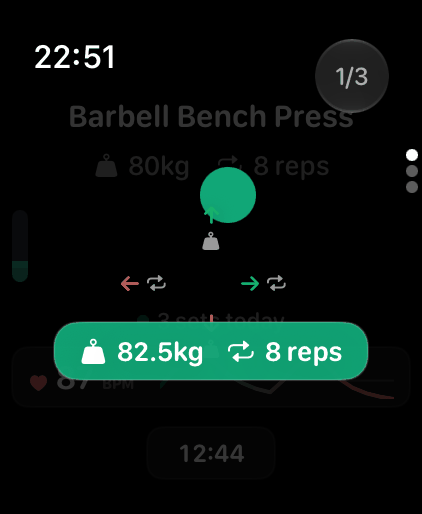
On Apple Watch, Gym Jotter shows today's exercises. Slide to change the weight or reps, let go to save the set, with your heart rate on screen.
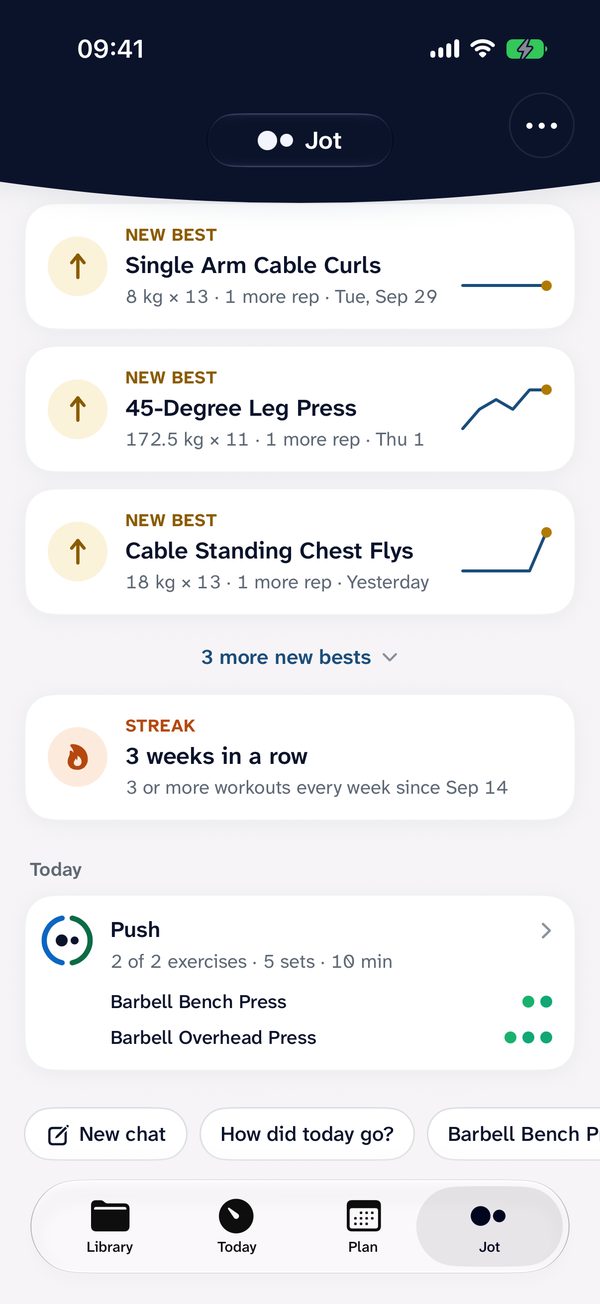
Ask in your own words. Jot knows your exercises and your training history, and it can build the workout for you.
You ask: The gym's packed and I've only got dumbbells. Can you build me a workout?
Builds a dumbbell session from your library and adds it to today.
You ask: Make me a push day inspired by my favourite creator.
Turns the idea into a routine you can save and run again.
You ask: I'm struggling to progress my bench press. Can you help?
Looks through your bench sets and suggests what to change, like the weight or reps to aim for next.
Jot comes with Gym Jotter Pro. It can make mistakes and isn't medical advice.
| Feature | Free | Pro |
|---|---|---|
| Track unlimited exercises and sets | ||
| Hold and slide to add a set, no typing | ||
| Unlimited routines | ||
| Build today's workout from your kit | ||
| Body view, charts and new bests | ||
| Goals with reminders | ||
| Apple Watch app | ||
| No account. Data on your iPhone and iCloud | ||
| No ads | ||
| Jot, the AI assistant |
Pro is £3.99 a month or £29.99 a year in the UK, with a 3-day free trial on the yearly plan.
The App Store shows the price where you are. Cancel any time in your Apple Account settings.
Yes. Tracking your workouts, routines, goals, the Body view and the Apple Watch app are free, with no limit on exercises, sets or routines and no ads. Gym Jotter Pro adds Jot, the AI assistant.
Yes. Open an exercise, hold Jot Down Set and slide: up or down for the weight, sideways for the reps. Let go and the set is saved. A tap saves the same weight and reps as your last set.
Yes. The Apple Watch app (watchOS 11 or later) shows today's exercises and tracks sets with the same slide-and-release, with your heart rate on screen. It syncs with Gym Jotter on your iPhone.
Every exercise starts from the weight and reps you did last time, so adding weight is a short slide up. Charts show each exercise over time, new bests are marked, and you can set a target like a 100 kg squat in Plan.
No. There's no sign-up. Your workouts are stored on your iPhone, and you can turn on iCloud sync to keep them on your other Apple devices.
That's what it's for. Adding a set is quicker than typing a note, and Gym Jotter keeps last time's numbers, your routines and your progress in one place.
No. Save as many routines as your split needs and add as many exercises as you like, free.
Free on the App Store for iPhone and Apple Watch.